iphone助手使用教程来了!
1、首先打开腾讯电脑管家——工具箱——其他——iPhone助手

2、进入iPhone助手界面,将需要做资料备份的两部手机连接电脑。
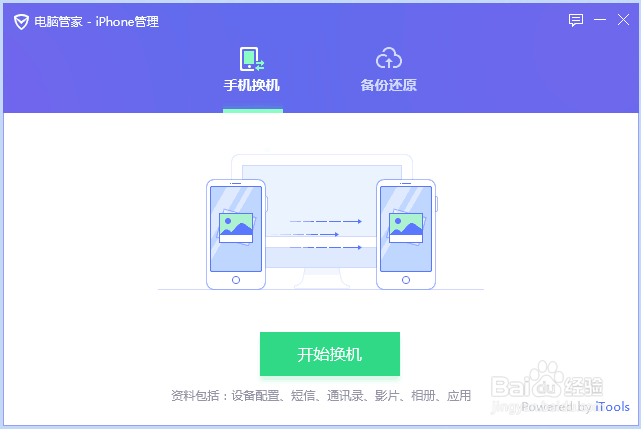


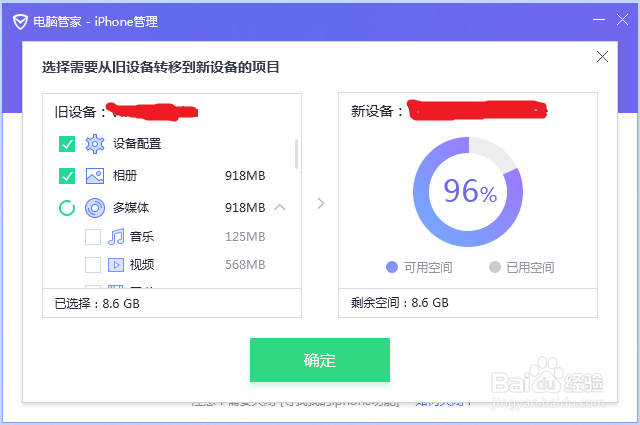
3、成功连接后可以看到数据列表,将所需同步的数据选中,点击开始换机。

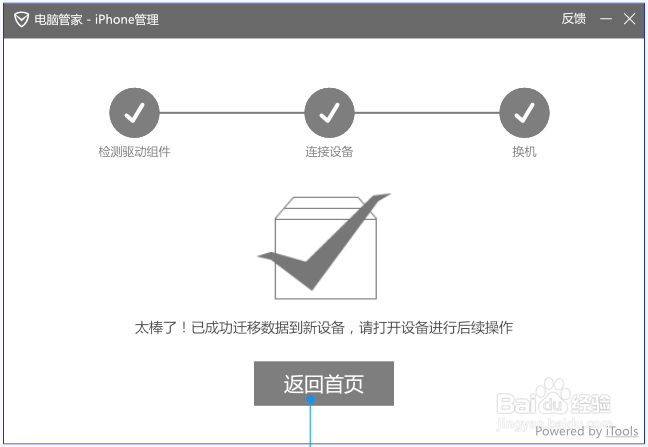
4、稍等片刻,界面提醒成功迁移数据,换机步骤就完成了。
阅读量:77
阅读量:181
阅读量:29
阅读量:26
阅读量:103
1、首先打开腾讯电脑管家——工具箱——其他——iPhone助手
2、进入iPhone助手界面,将需要做资料备份的两部手机连接电脑。
3、成功连接后可以看到数据列表,将所需同步的数据选中,点击开始换机。
4、稍等片刻,界面提醒成功迁移数据,换机步骤就完成了。