win10怎么调整触摸板的灵敏度?
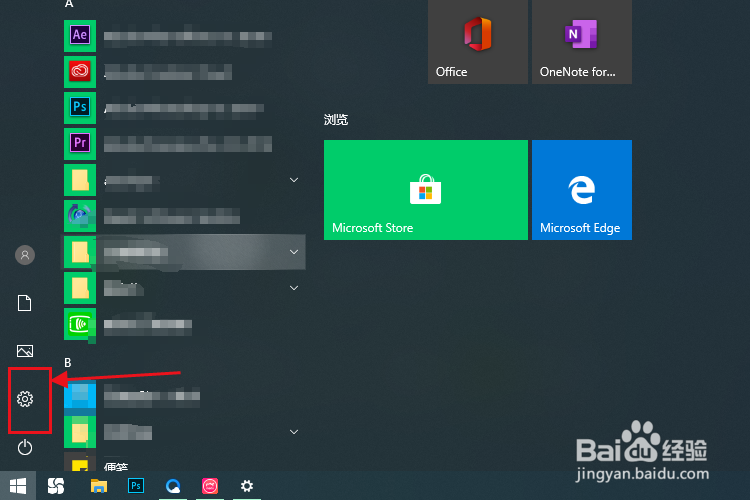
1、点击开始菜单,选择设置图标。
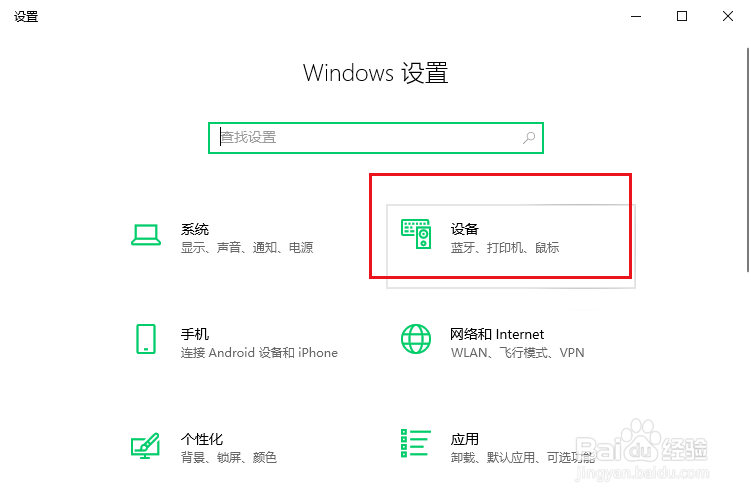
2、选择设备选项。
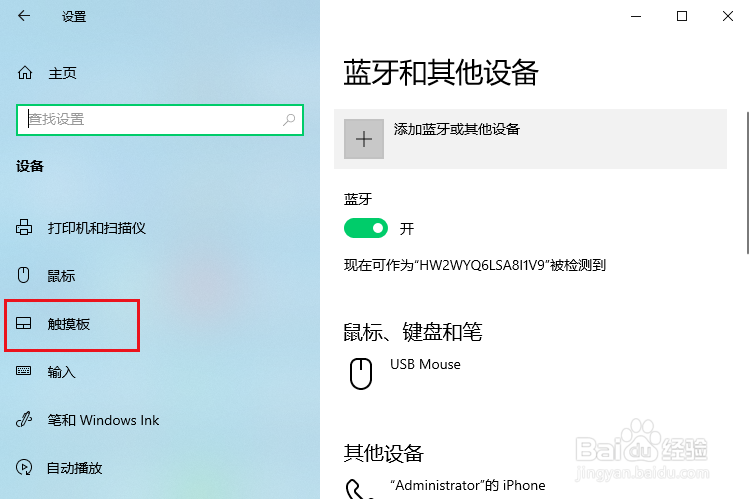
3、选择左侧的触摸板选项。
4、点击右侧的触摸板灵敏度选项。
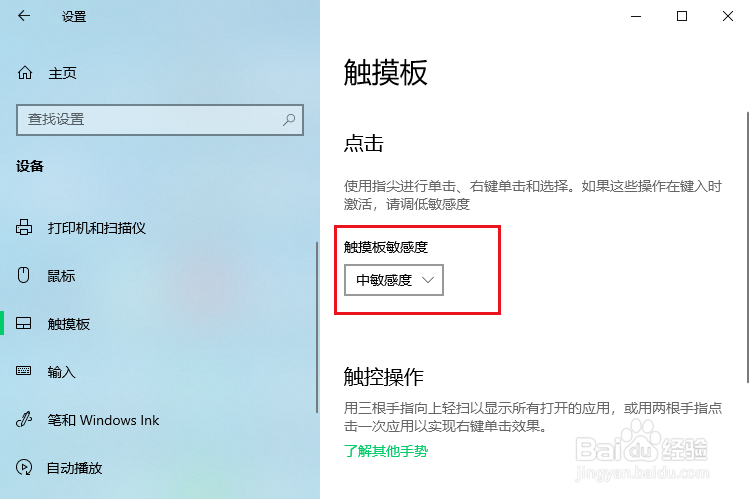
5、选择高灵敏度或低敏度。

1、1.点击设置。
2.点击设备。
3.点击触摸板。
4.选择灵敏度即可。
阅读量:69
阅读量:159
阅读量:41
阅读量:123
阅读量:59
1、点击开始菜单,选择设置图标。
2、选择设备选项。
3、选择左侧的触摸板选项。
4、点击右侧的触摸板灵敏度选项。
5、选择高灵敏度或低敏度。
1、1.点击设置。
2.点击设备。
3.点击触摸板。
4.选择灵敏度即可。