Windows 11怎样添加媒体功能
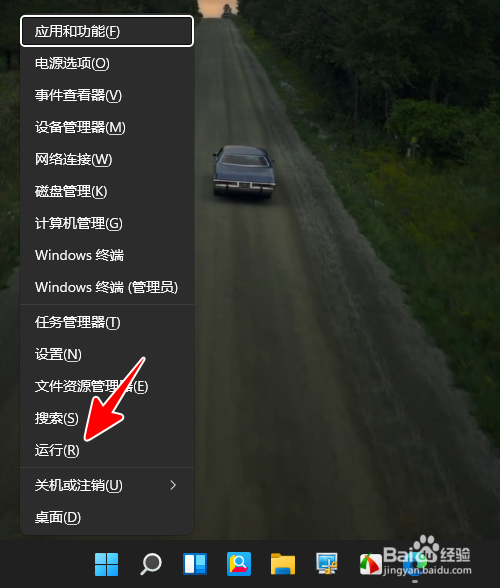
1、在电脑桌面右击 Windows 图标。

2、在弹出的菜单中点击“运行”。
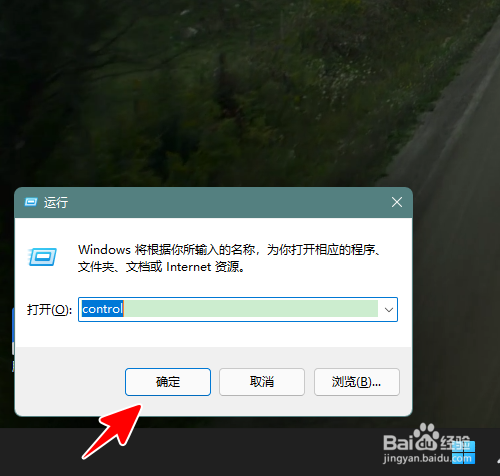
3、在运行窗口输入“control”,再点击“确定”。
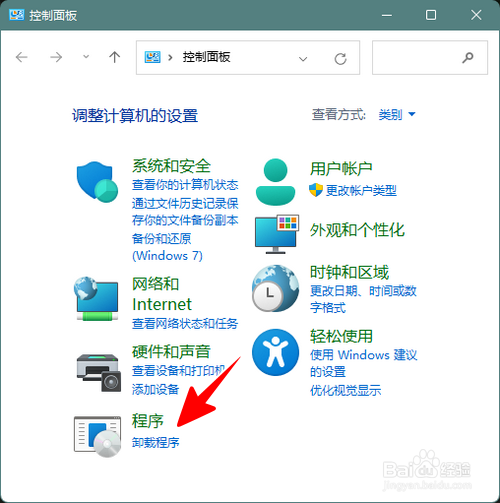
4、点击“卸载程序”。
5、点击“启用或关闭 Windows 功能”。

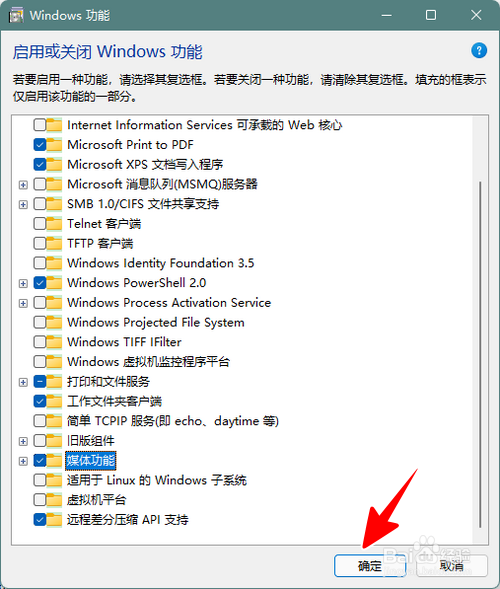
6、勾选“媒体功能”,再点击“确定”。
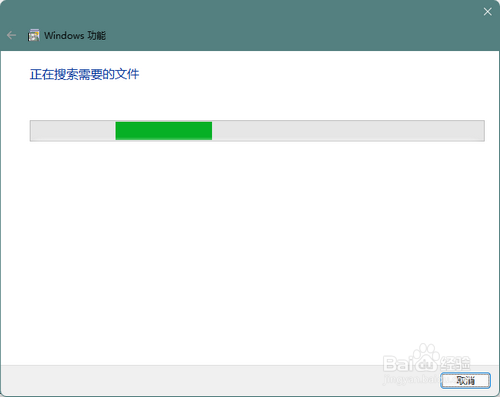
7、这时,系统将会自动搜索需要的组件并安装。
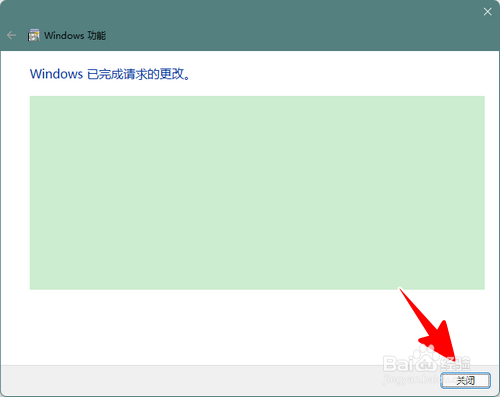
8、安装成功后,我们只需点击“关闭”就大功告成了。
阅读量:121
阅读量:160
阅读量:192
阅读量:152
阅读量:139
1、在电脑桌面右击 Windows 图标。
2、在弹出的菜单中点击“运行”。
3、在运行窗口输入“control”,再点击“确定”。
4、点击“卸载程序”。
5、点击“启用或关闭 Windows 功能”。
6、勾选“媒体功能”,再点击“确定”。
7、这时,系统将会自动搜索需要的组件并安装。
8、安装成功后,我们只需点击“关闭”就大功告成了。