myeclipse2014调整字体样式
1、首先先打开myeclipse2014

2、接着选择window
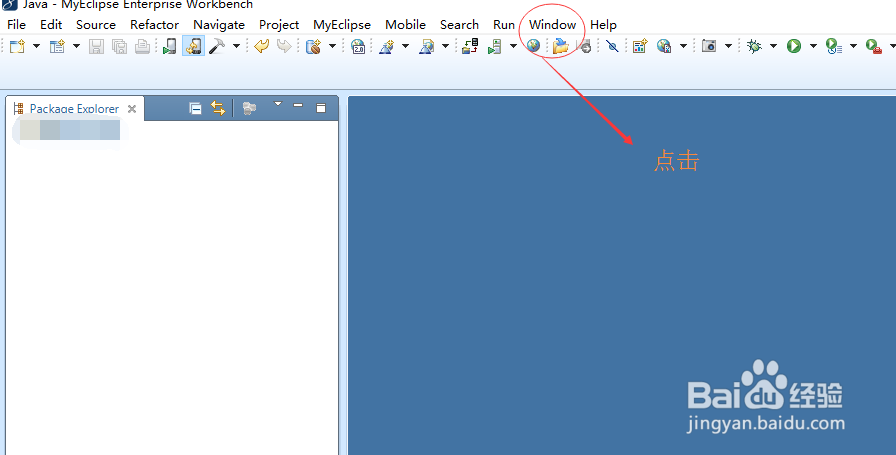
3、再接着选择preferences,打开preferences窗口

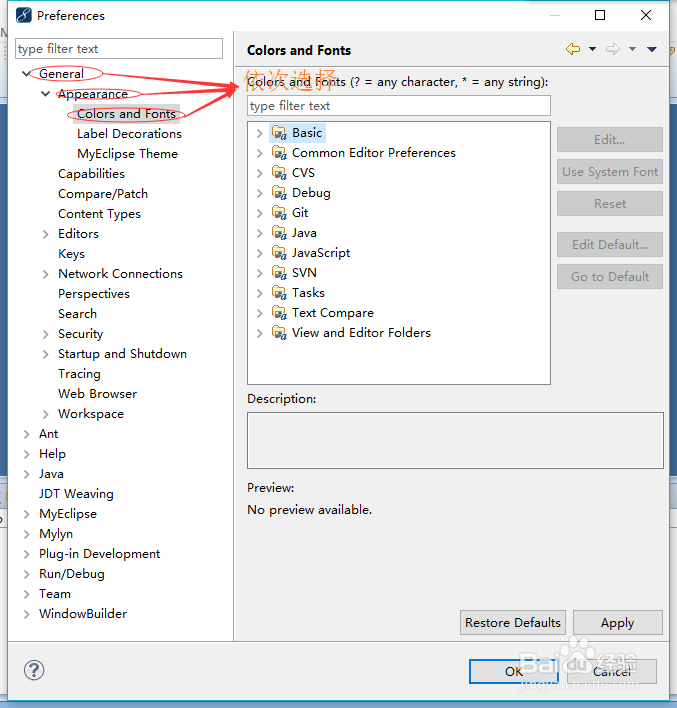
4、再接着依次选择General——Appearance——Colors and Fonts
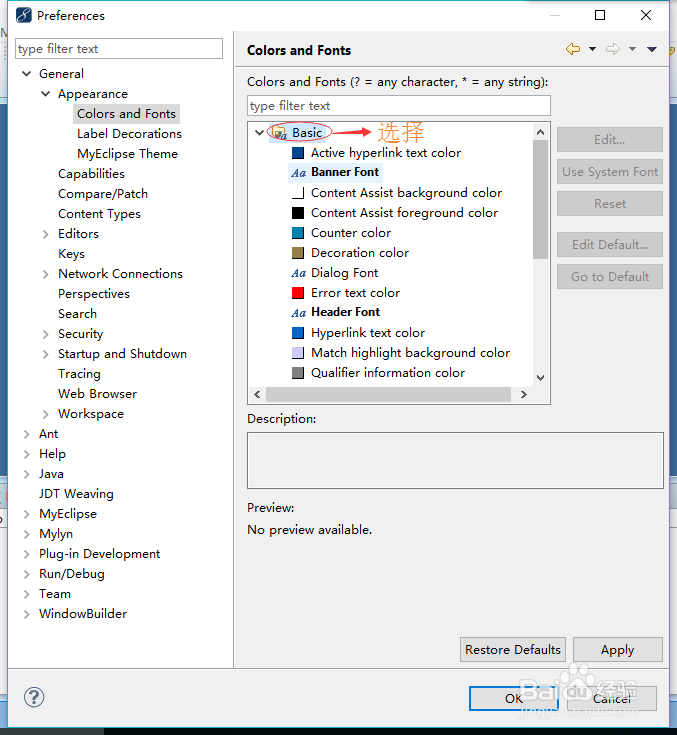
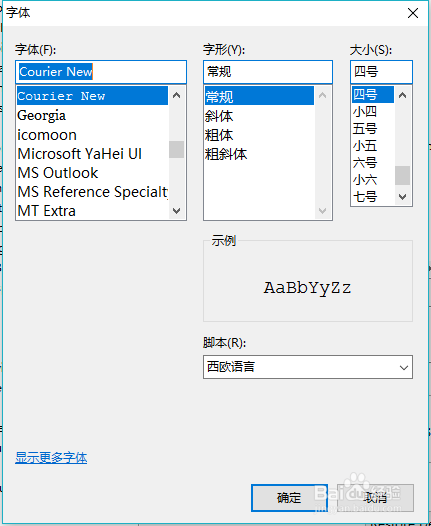
5、再选中base的Aa Text Font,之后点击edit按钮或者双击选中Aa Text Font
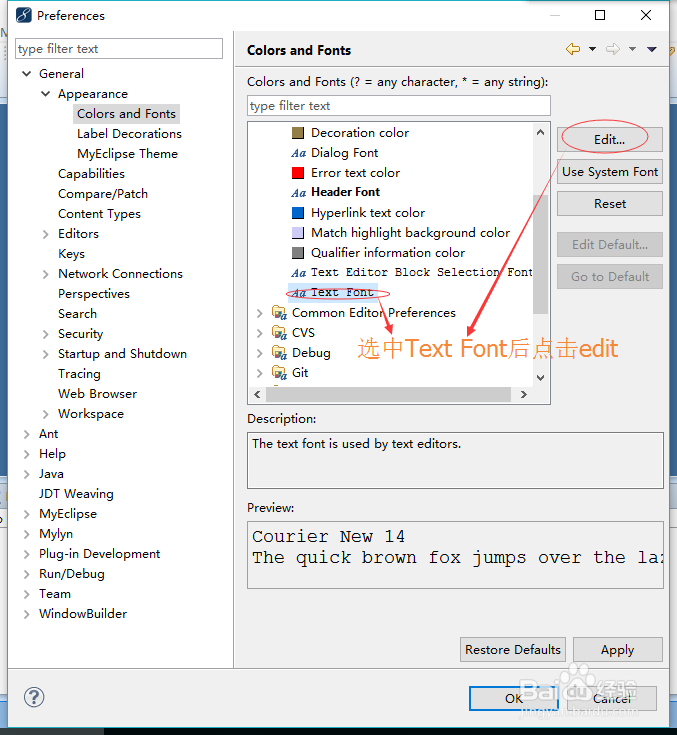
6、最好把字体样式调整成你最适合的样式
阅读量:188
阅读量:34
阅读量:55
阅读量:40
阅读量:58
1、首先先打开myeclipse2014
2、接着选择window
3、再接着选择preferences,打开preferences窗口
4、再接着依次选择General——Appearance——Colors and Fonts
5、再选中base的Aa Text Font,之后点击edit按钮或者双击选中Aa Text Font
6、最好把字体样式调整成你最适合的样式