excel中怎么批量设置日期格式?
1、第一步:打开excel

2、第二步:选中需要批量设置日期格式的区域

3、第三步:在工具栏选择数据

4、第四步:在工具栏选择分列

5、第五步:在弹出的页面中选择固定宽度

6、第六步:点击下一步
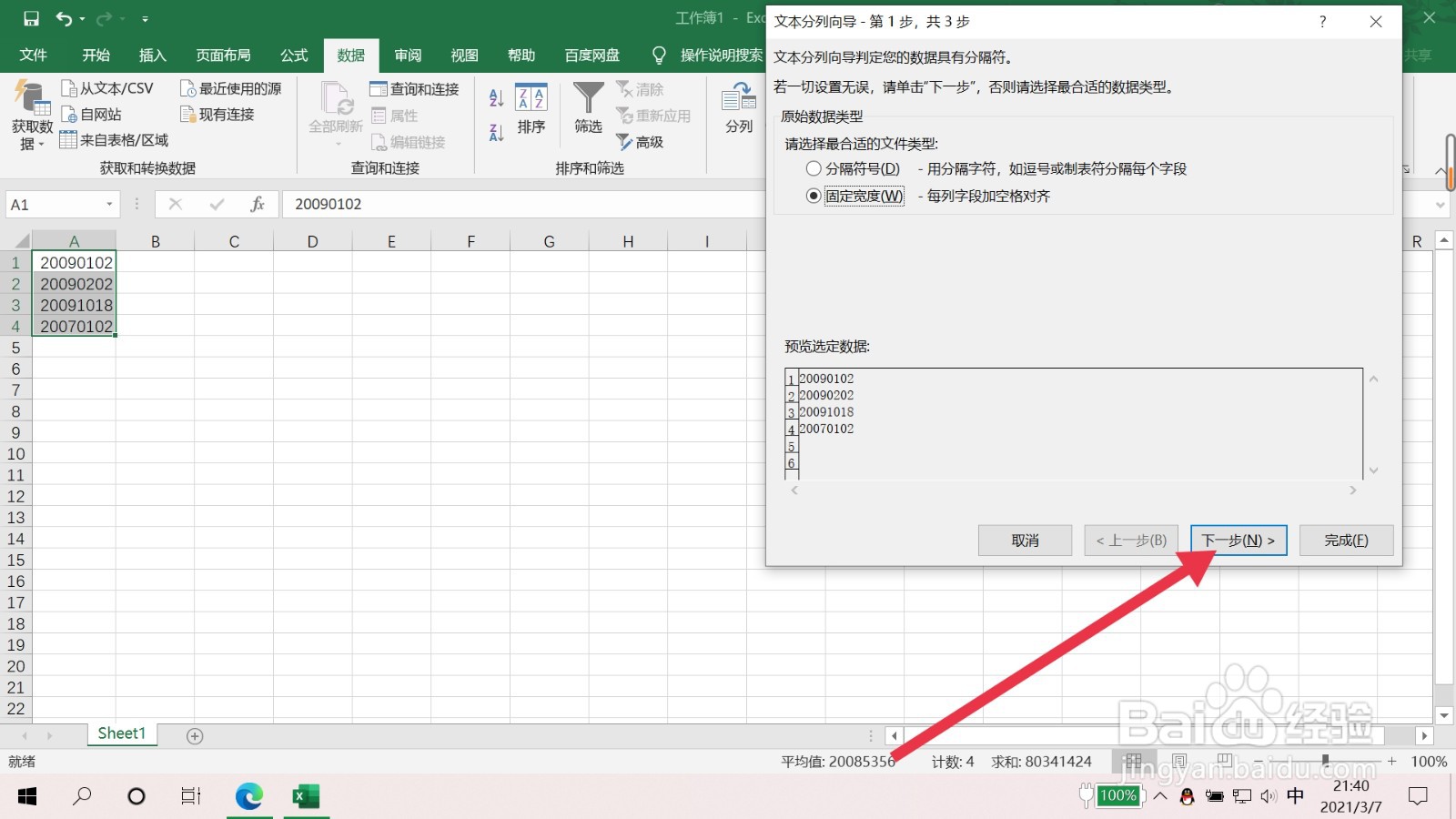
7、第七步:再次点击下一步

8、第八步:选择日期,并在日期后面的方框内选择YMD

9、第九步:点击完成,此时日期格式批量设置完成

阅读量:52
阅读量:79
阅读量:25
阅读量:89
阅读量:139
1、第一步:打开excel
2、第二步:选中需要批量设置日期格式的区域
3、第三步:在工具栏选择数据
4、第四步:在工具栏选择分列
5、第五步:在弹出的页面中选择固定宽度
6、第六步:点击下一步
7、第七步:再次点击下一步
8、第八步:选择日期,并在日期后面的方框内选择YMD
9、第九步:点击完成,此时日期格式批量设置完成