小米11pro怎么关闭内容中心
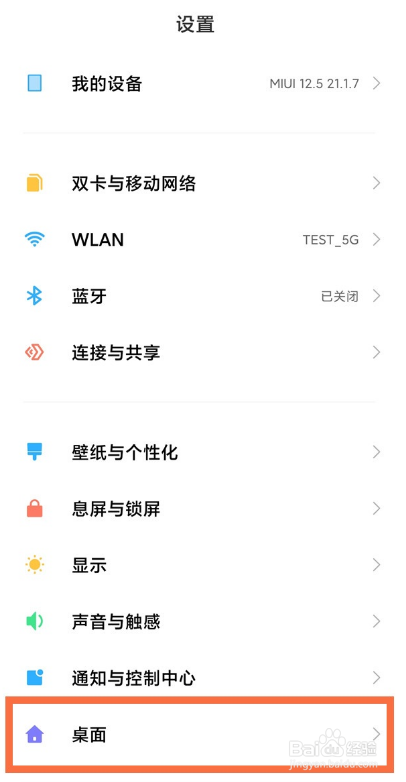
1、打开【设置】,点击【桌面】。
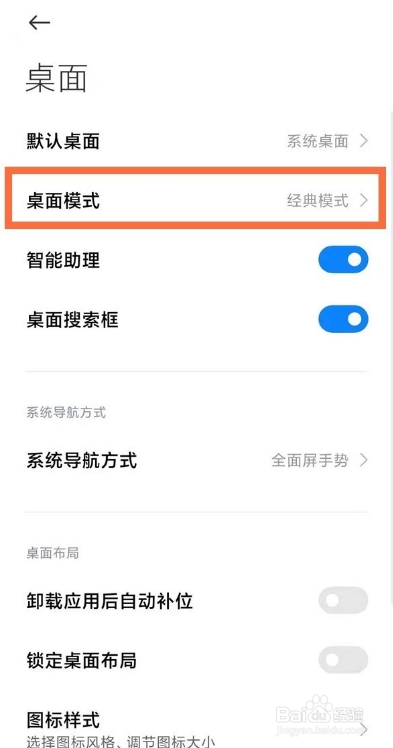
2、选择【桌面模式】选项。
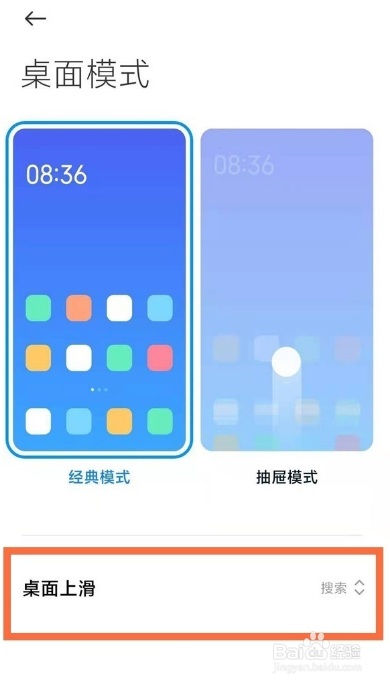
3、选择【桌面上滑】。
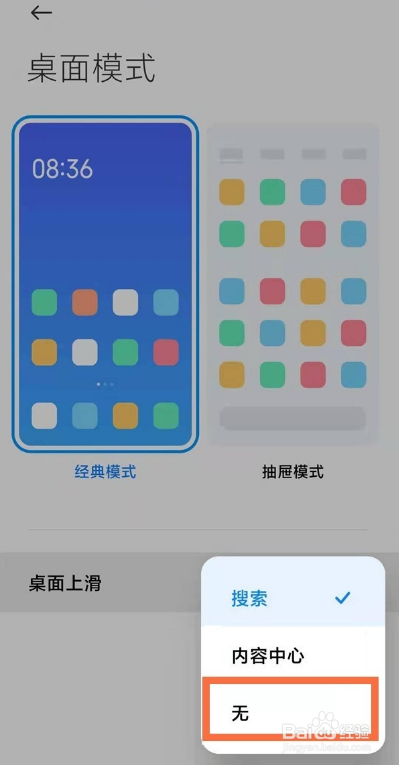
4、勾选【无】即可。
1、打开【设置】,点击【桌面】。
2、选择【桌面模式】选项。
3、选择【桌面上滑】。
4、勾选【无】即可。
阅读量:90
阅读量:72
阅读量:55
阅读量:66
阅读量:100
1、打开【设置】,点击【桌面】。
2、选择【桌面模式】选项。
3、选择【桌面上滑】。
4、勾选【无】即可。
1、打开【设置】,点击【桌面】。
2、选择【桌面模式】选项。
3、选择【桌面上滑】。
4、勾选【无】即可。