Vectornator在哪创建A4画布?
1、首先打开Vectornator的页面之后,点击右上角的“+”图案
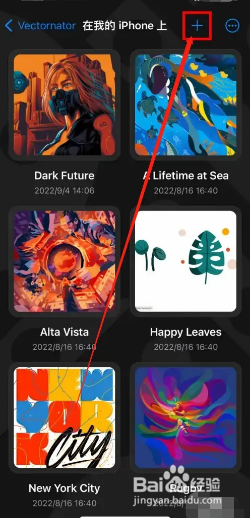
2、接着在展开的列表页面里,点击“新建插画”选项

3、之后在新建插画的页面中,点击A4
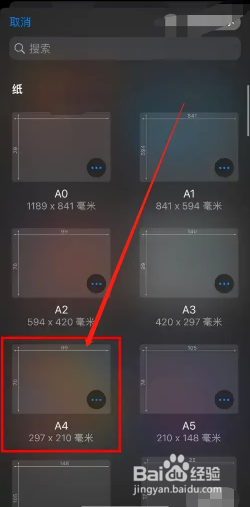
4、然后我们就创建好A4画布了,如下图所示

阅读量:34
阅读量:159
阅读量:121
阅读量:190
阅读量:51
1、首先打开Vectornator的页面之后,点击右上角的“+”图案
2、接着在展开的列表页面里,点击“新建插画”选项
3、之后在新建插画的页面中,点击A4
4、然后我们就创建好A4画布了,如下图所示