vivo手机在哪里切换4g网络设置
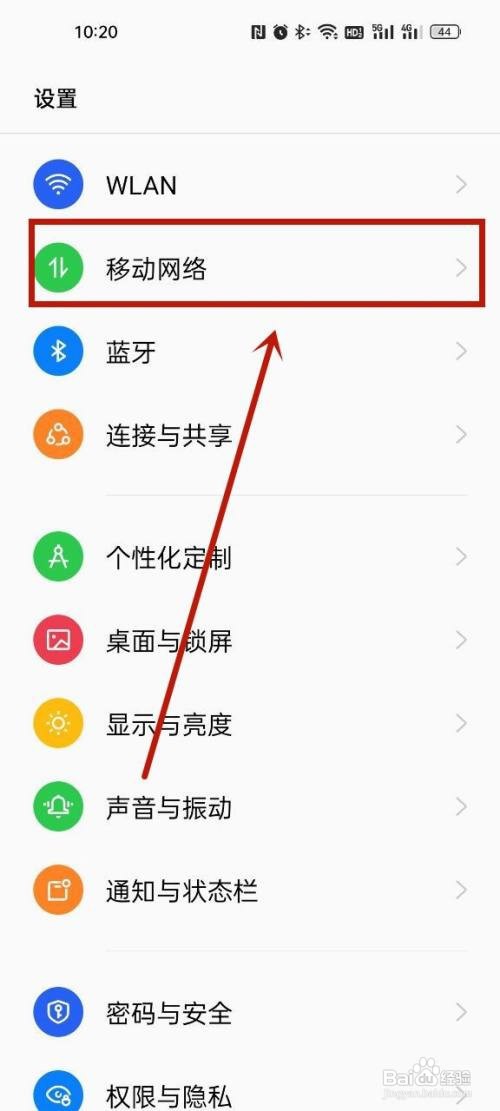
1、选择移动网络
找到手机设置,选择移动网络。
2、选择SIM卡
打开移动网络页面后,选择需要设置SIM卡。

3、完成设置
关闭5G,即可切换成4G网络。

1、1.选择移动网络
找到手机设置,选择移动网络。
2.选择SIM卡
打开移动网络页面后,选择需要设置SIM卡。
3.完成设置
关闭5G,即可切换成4G网络。
阅读量:45
阅读量:177
阅读量:46
阅读量:89
阅读量:80
1、选择移动网络
找到手机设置,选择移动网络。
2、选择SIM卡
打开移动网络页面后,选择需要设置SIM卡。
3、完成设置
关闭5G,即可切换成4G网络。
1、1.选择移动网络
找到手机设置,选择移动网络。
2.选择SIM卡
打开移动网络页面后,选择需要设置SIM卡。
3.完成设置
关闭5G,即可切换成4G网络。