小猪生活
首页
美食营养
生活百科
知识问答
生活知识
返回
小猪生活
首页
美食营养
游戏数码
手工爱好
生活知识
生活百科
健康养生
运动户外
职场理财
情感交际
母婴教育
时尚美容
知识问答
更多知识
搜索
使用Word插入虚尾箭头
2026-04-24 17:33:32
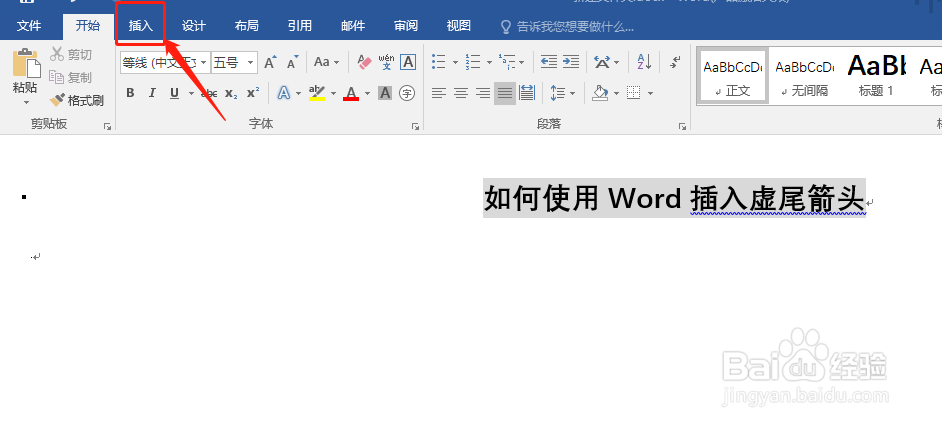
1、双击打开你的word
2、选择菜单栏中的【插入】
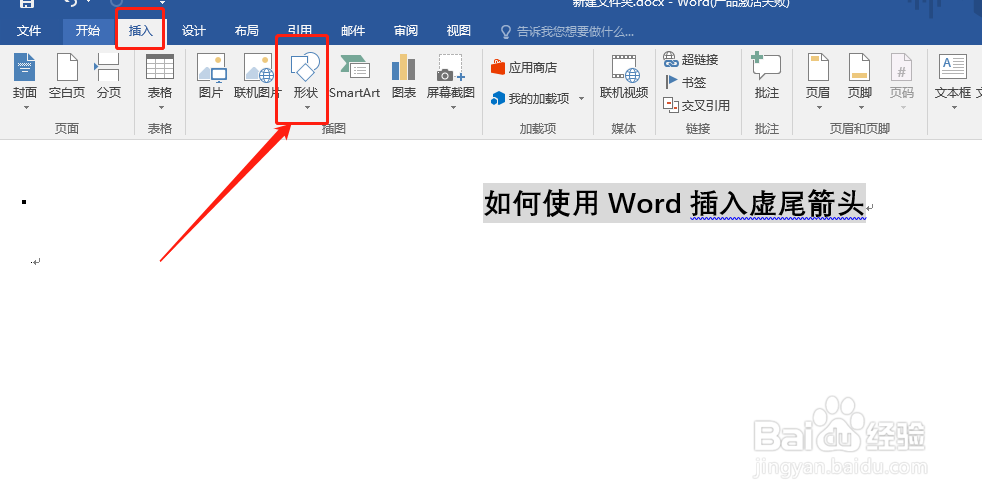
3、点击【插入】选择点击【形状】
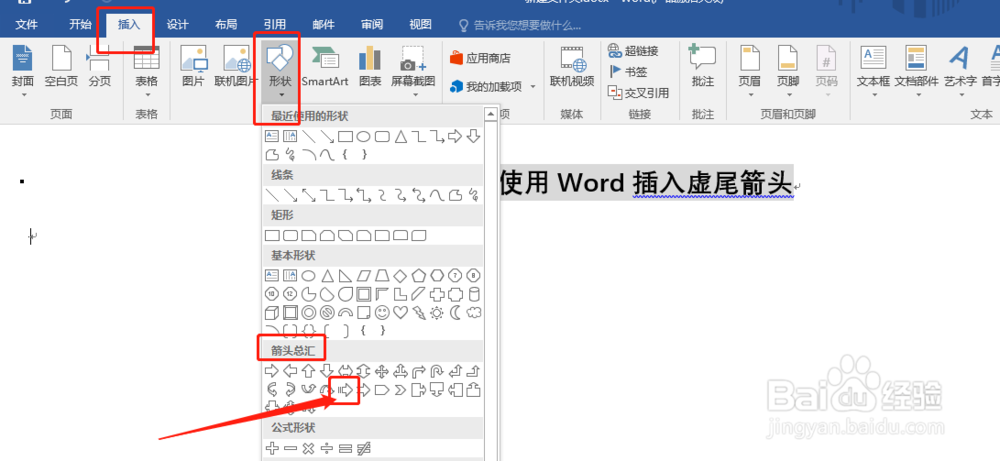
4、然后选择【箭头总汇】中的【虚尾箭头】
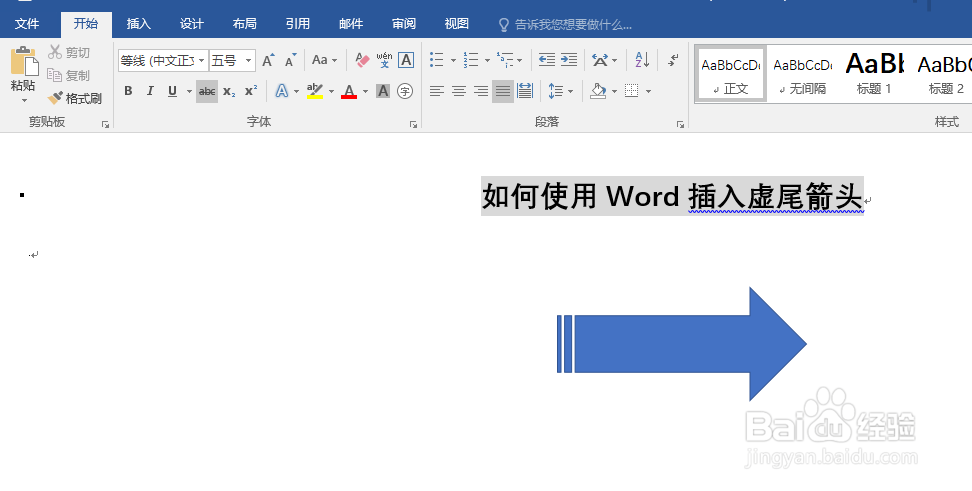
5、在word的空白处画出【虚尾箭头】
相关推荐
Teambition的教学教案中怎么添加列表内容?
阅读量:190
吃板栗的好处和坏处有哪些
阅读量:51
word2010如何将字体设置成青色发光体
阅读量:96
Word中怎样插入页码
阅读量:118
提高免疫力的九个方子
阅读量:21
猜你喜欢
生活美好的句子
家庭生活片
复印机卡纸怎么取出
鲁棒性是什么意思
lol怎么截图快捷键
心脏不好如何调理
show是什么意思英语
tail是什么意思英语
辣椒辣手了怎么办
date是什么意思翻译
猜你喜欢
07版word怎么设置页码
向往的生活第二季
没有银行卡怎么网购
国债回购如何操作
skirt是什么意思
风云三国怎么娶貂蝉
如何给文件夹设密码
七宝美髯丸效果如何
华为手机进水怎么处理
如何自制酸奶