WZC服务未启动,不能连接无线网络
1、 在键盘上按【Win+R】键,打开【运行】项。

2、 在运行项中,输入【services.msc】,打开【系统服务】。

3、 在【系统服务】中,找到【Wireless Zero Configuration】服务。
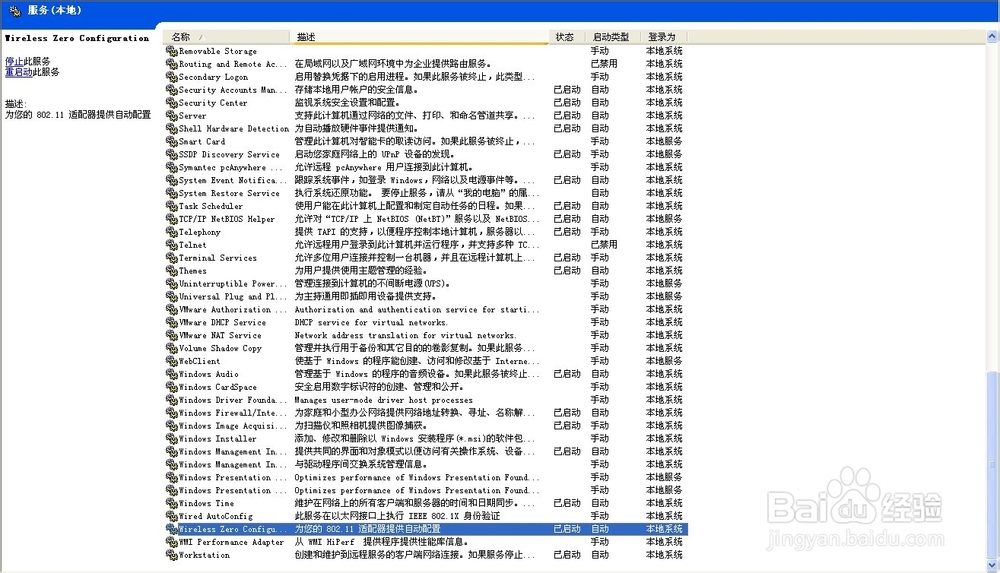
4、 将【Wireless Zero Configuration】服务,从【自动】状态设置为【启用】状态。

5、 连接无线网络,现在无线网络就会恢复正常了。

6、 希望这条经验能对大家有所帮助,祝大家天天好心情!

阅读量:149
阅读量:185
阅读量:189
阅读量:156
阅读量:32