office anywhere 2015 工作流【设置表单】
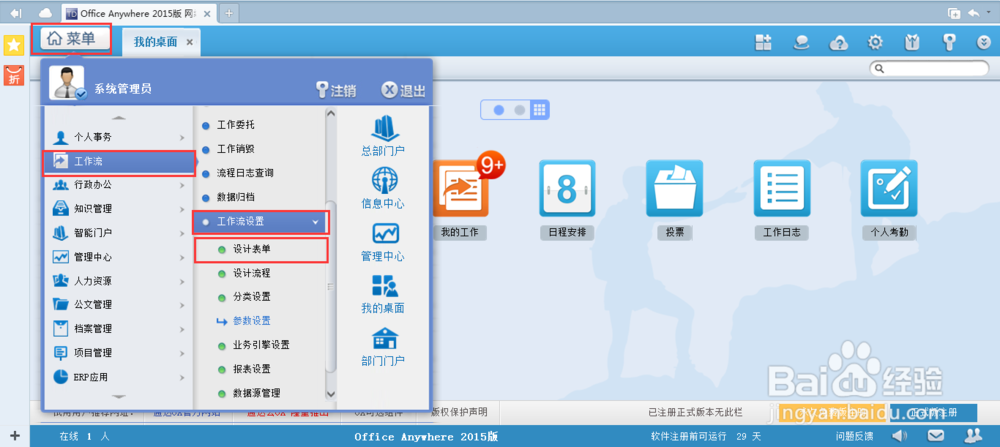
1、打开office anywhere 2015.【菜单】-【工作流】-【工作流设置】-【设计表单】
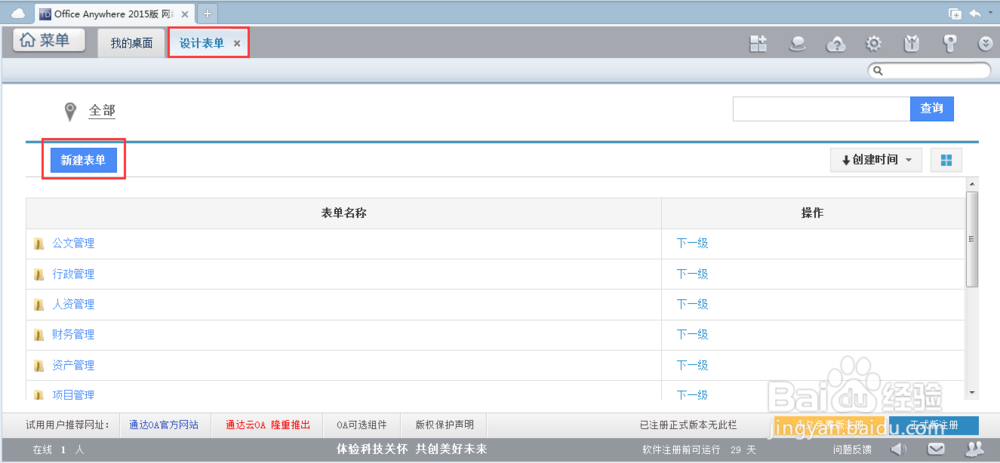
2、打开到【设计表单】的界面,然后【新建表单】
3、打开到【新建表单】的界面,下面进行设置
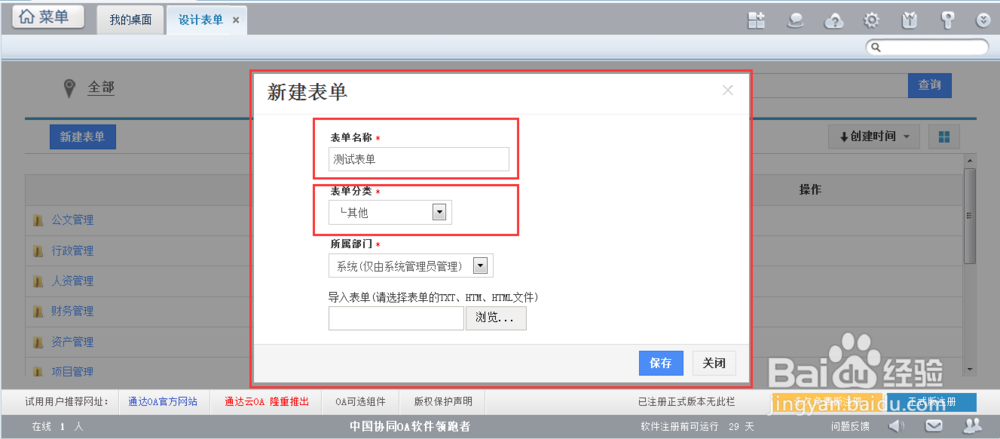
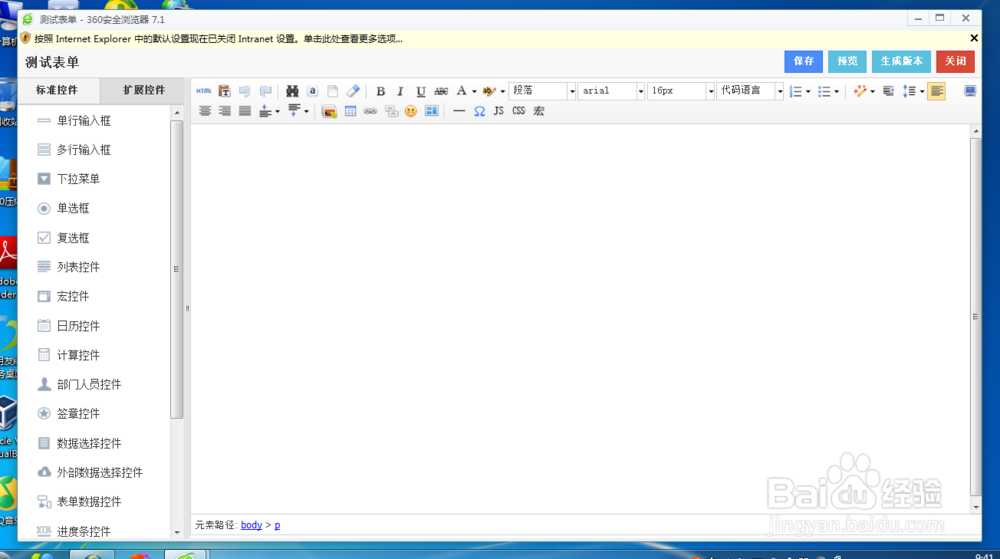
4、设置好【表单名称】【表单分类】,系统会自动弹出设计表单的界面
阅读量:127
阅读量:57
阅读量:138
阅读量:193
阅读量:46
1、打开office anywhere 2015.【菜单】-【工作流】-【工作流设置】-【设计表单】
2、打开到【设计表单】的界面,然后【新建表单】
3、打开到【新建表单】的界面,下面进行设置
4、设置好【表单名称】【表单分类】,系统会自动弹出设计表单的界面