python输出空格隔开
1、我们打开Visual Studio Code 1.40.2
进入下图界面

2、我们点击下图框内 选项

3、我们点击下图框内 选项

4、我们在下图框内输入相应的命令

5、我们另存为hello.py
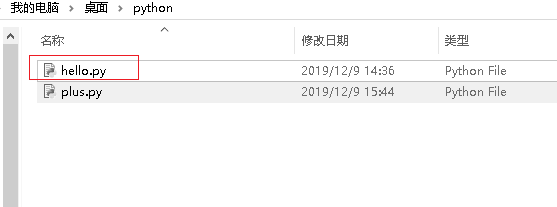
6、我们cmd命令
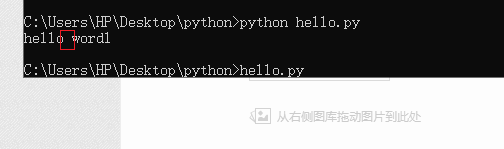
运行后如下图
我们可以看到下图框内就是空格
阅读量:147
阅读量:180
阅读量:51
阅读量:139
阅读量:112
1、我们打开Visual Studio Code 1.40.2
进入下图界面
2、我们点击下图框内 选项
3、我们点击下图框内 选项
4、我们在下图框内输入相应的命令
5、我们另存为hello.py
6、我们cmd命令
运行后如下图
我们可以看到下图框内就是空格