小猪生活
首页
美食营养
生活百科
知识问答
生活知识
返回
小猪生活
首页
美食营养
游戏数码
手工爱好
生活知识
生活百科
健康养生
运动户外
职场理财
情感交际
母婴教育
时尚美容
知识问答
更多知识
搜索
手机iPhone关闭“icloud 照片”上传
2026-04-25 10:27:33
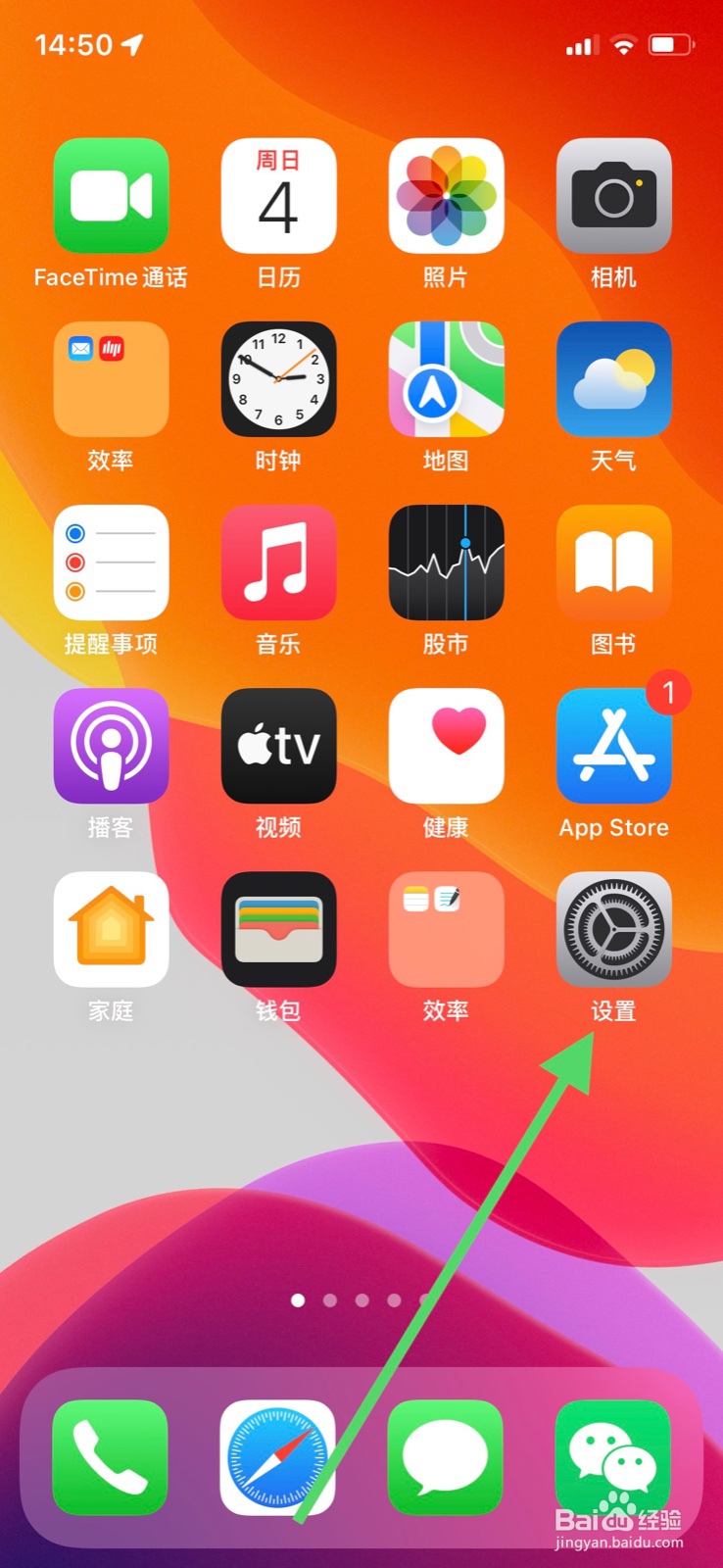
1、首先
解锁手机点击页面显示“设置”。
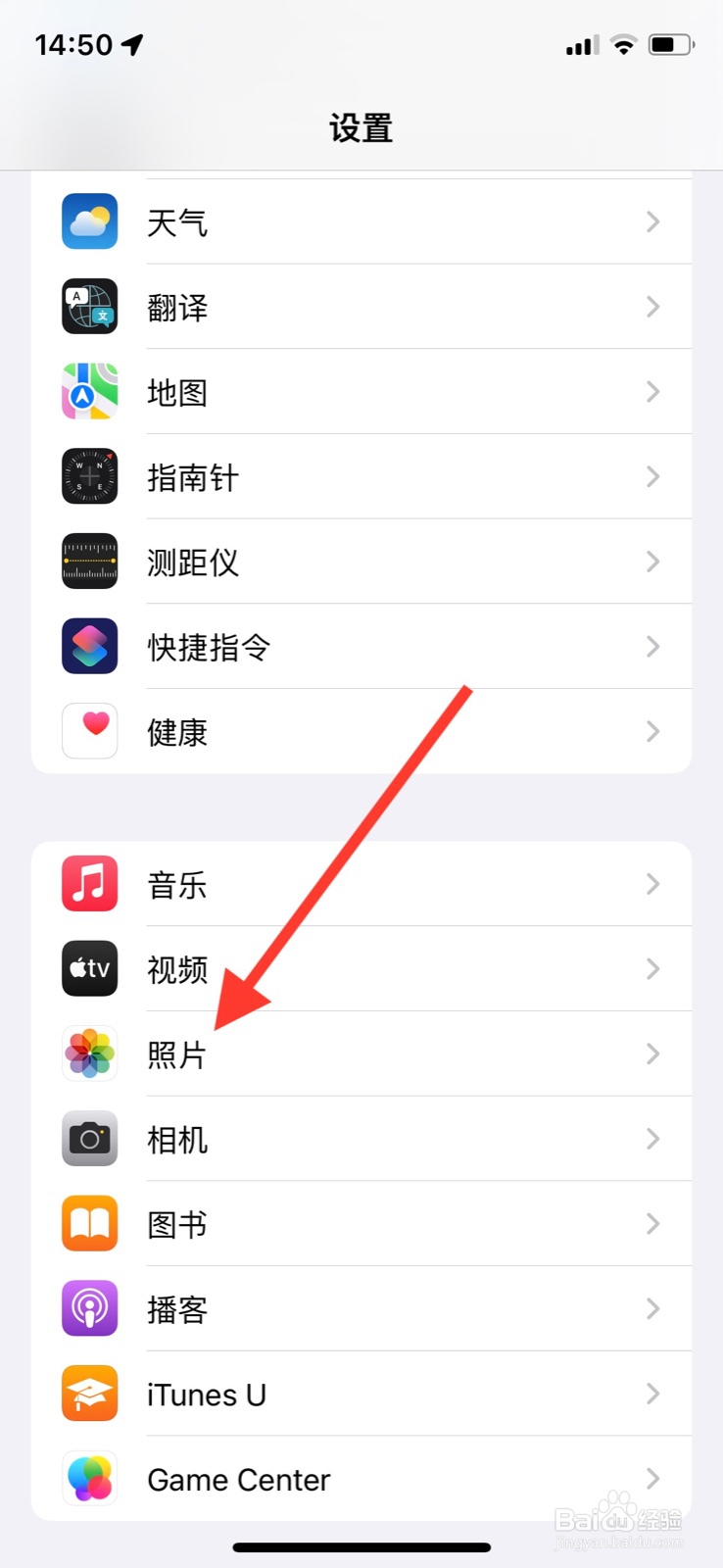
2、然后
下滑“设置”页面显示点击“照片”。
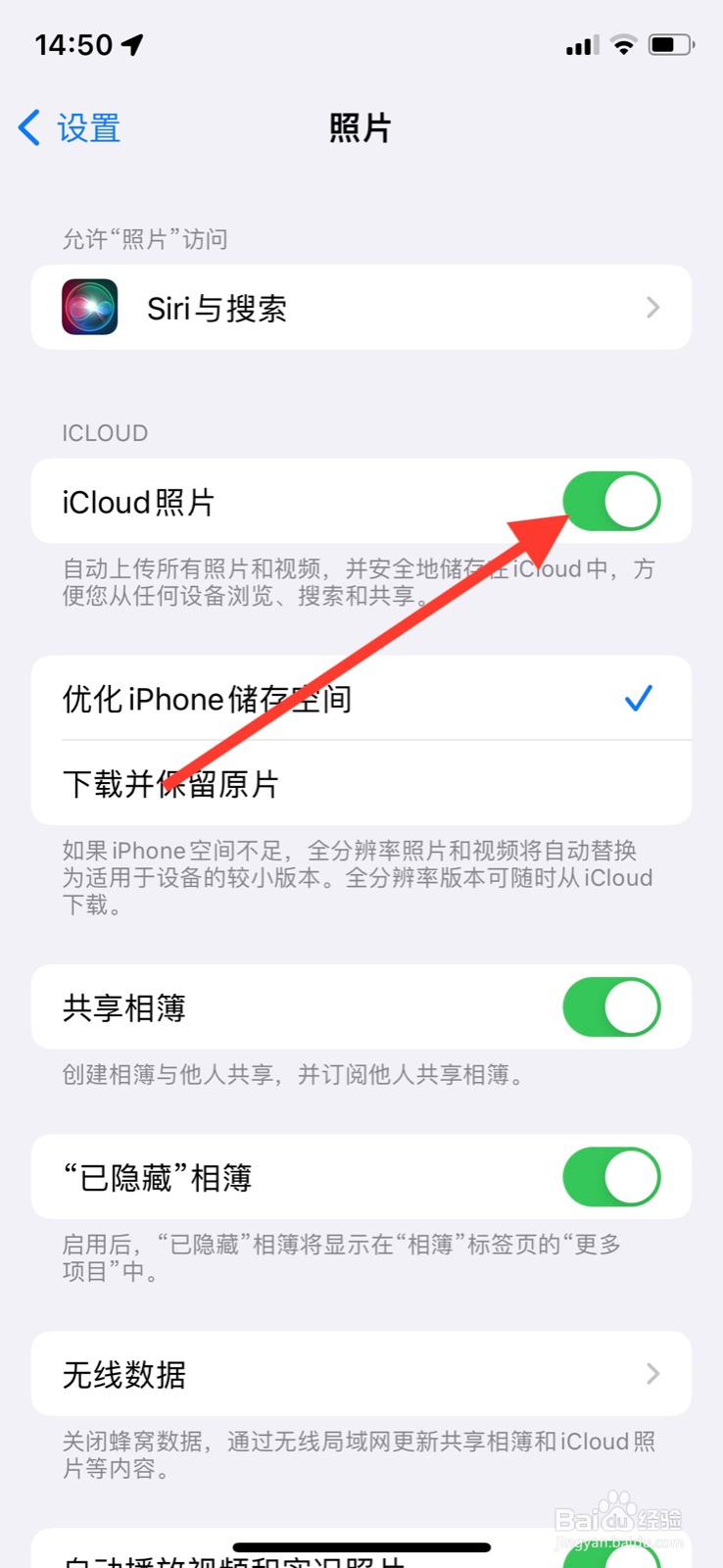
3、最后
页面显示找到“icloud 照片”旁边标签,点击关闭。
相关推荐
如何设置相册不同步到icloud
阅读量:23
苹果手机如何关闭照片自动上传到iCloud
阅读量:164
苹果手机里的照片删除了又出现
阅读量:114
如何关闭icloud照片同步
阅读量:33
苹果手机iCloud照片关闭后会怎么样
阅读量:78
猜你喜欢
红警2攻略
幻想三国志1攻略
四川乐山大佛简介
康达减肥
怎么算五行缺什么
老是睡不着怎么办
天津简介
减肥酵素
斯柯达昕动怎么样
鞋带怎么系在里面
猜你喜欢
tiamo怎么读
宣传海报怎么做
慢性中耳炎怎么治疗
云南白药粉怎么吃
缘之空攻略
南北湖自驾游攻略
小学生早恋怎么办
减肥食物
胸小怎么穿泳衣
开机密码怎么取消