Illustrator中怎么将文字转曲
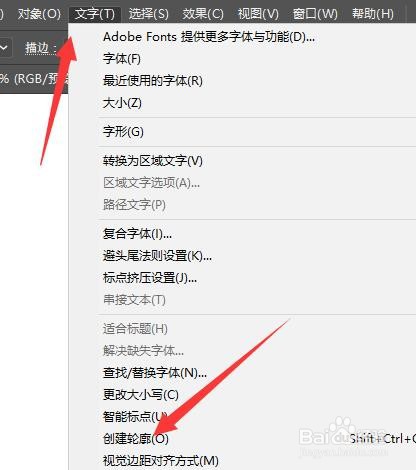
1、在Illustrator中选中其中的文字,然后将上方文字菜单打开

2、在下方栏中,选择其中的创建轮廓选项
3、确定后即可将文字转曲,如图所示

4、或者打开对象菜单,选择其中的扩展,扩展完成后也可以将其转曲。

阅读量:135
阅读量:162
阅读量:167
阅读量:113
阅读量:129
1、在Illustrator中选中其中的文字,然后将上方文字菜单打开
2、在下方栏中,选择其中的创建轮廓选项
3、确定后即可将文字转曲,如图所示
4、或者打开对象菜单,选择其中的扩展,扩展完成后也可以将其转曲。